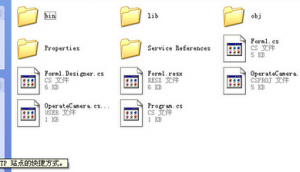
C#摄像头网站源码是一个摄像头设施调用的一个程序,也可以整理一个驱动程序,有了它电脑上的摄像头可以正常的工作。C#写的超简单的摄像头视频获得源码,还可以完成视频截图,目前不少摄像头都是无驱动的,这种办法我试验没成功,不了解各位高人有没这方面的经验,网上也一直再问怎么样做视频录像
安装摄像头后,一般可以找到一个avicap32.dll文件,里面有一些操作摄像头的办法。
这是一个关于摄像头的类:
using System;
using System.Runtime.InteropServices;
namespace webcam
{
///
/// avicap 的摘要说明。
///
public class showVideo
{
// showVideo calls
[DllImport]
public static extern IntPtr capCreateCaptureWindowA;
[DllImport]
public static extern bool capGetDriverDescriptionA;
[DllImport]
public static extern bool SendMessage;
[DllImport]
public static extern bool SendMessage;
[DllImport]
public static extern bool SendMessage;
[DllImport]
public static extern bool SendMessage;
[DllImport]
public static extern int SetWindowPos;
[DllImport]
public static extern int capGetVideoFormat;
// Constants
public const int WM|USER = 0x400;
public const int WS|CHILD = 0x40000000;
public const int WS|VISIBLE = 0x10000000;
public const int SWP|NOMOVE = 0x2;
public const int SWP|NOZORDER = 0x4;
public const int WM|CAP|DRIVER|CONNECT = WM|USER + 10;
public const int WM|CAP|DRIVER|DISCONNECT = WM|USER + 11;
public const int WM|CAP|SET|CALLBACK|FRAME = WM|USER + 5;
public const int WM|CAP|SET|PREVIEW = WM|USER + 50;
public const int WM|CAP|SET|PREVIEWRATE = WM|USER + 52;
public const int WM|CAP|SET|VIDEOFORMAT = WM|USER + 45;
// Structures
[StructLayout] public struct VIDEOHDR
{
[MarshalAs] public int lpData;
[MarshalAs] public int dwBufferLength;
[MarshalAs] public int dwBytesUsed;
[MarshalAs] public int dwTimeCaptured;
[MarshalAs] public int dwUser;
[MarshalAs] public int dwFlags;
[MarshalAs] public int[] dwReserved;
}
[StructLayout] public struct BITMAPINFOHEADER
{
[MarshalAs] public Int32 biSize ;
[MarshalAs] public Int32 biWidth ;
[MarshalAs] public Int32 biHeight ;
[MarshalAs] public short biPlanes;
[MarshalAs] public short biBitCount ;
[MarshalAs] public Int32 biCompression;
[MarshalAs] public Int32 biSizeImage;
[MarshalAs] public Int32 biXPelsPerMeter;
[MarshalAs] public Int32 biYPelsPerMeter;
[MarshalAs] public Int32 biClrUsed;
[MarshalAs] public Int32 biClrImportant;
}
[StructLayout] public struct BITMAPINFO
{
[MarshalAs] public BITMAPINFOHEADER bmiHeader;
[MarshalAs] public Int32[] bmiColors;
}
public delegate void FrameEventHandler;
// Public methods
public static object GetStructure
{
return Marshal.PtrToStructure);
}
public static object GetStructure
{
return GetStructure,structure);
}
public static void Copy
{
Marshal.Copy;
}
public static void Copy
{
Copy,data);
}
public static int SizeOf
{
return Marshal.SizeOf;
}
}
//Web Camera Class
public class WebCamera
{
// Constructur
public WebCamera
{
mControlPtr = handle;
mWidth = width;
mHeight = height;
}
// delegate for frame callback
public delegate void RecievedFrameEventHandler;
public event RecievedFrameEventHandler RecievedFrame;
private IntPtr lwndC; // Holds the unmanaged handle of the control
private IntPtr mControlPtr; // Holds the managed pointer of the control
private int mWidth;
private int mHeight;
private showVideo.FrameEventHandler mFrameEventHandler; // Delegate instance for the frame callback | must keep alive! gc should NOT collect it
// Close the web camera
public void CloseWebcam
{
this.capDriverDisconnect;
}
// start the web camera
public void StartWebCam
{
byte[] lpszName = new byte[100];
byte[] lpszVer = new byte[100];
showVideo.capGetDriverDescriptionA;
this.lwndC = showVideo.capCreateCaptureWindowA;
if )
{
this.capPreviewRate;
this.capPreview;
showVideo.BITMAPINFO bitmapinfo = new showVideo.BITMAPINFO;
bitmapinfo.bmiHeader.biSize = showVideo.SizeOf;
bitmapinfo.bmiHeader.biWidth = 352;
bitmapinfo.bmiHeader.biHeight = 288;
bitmapinfo.bmiHeader.biPlanes = 1;
bitmapinfo.bmiHeader.biBitCount = 24;
this.capSetVideoFormat);
this.mFrameEventHandler = new showVideo.FrameEventHandler;
this.capSetCallbackOnFrame;
showVideo.SetWindowPos;
}
}
// private functions
private bool capDriverConnect
{
return showVideo.SendMessage;
}
private bool capDriverDisconnect
{
return showVideo.SendMessage;
}
private bool capPreview
{
return showVideo.SendMessage;
}
private bool capPreviewRate
{
return showVideo.SendMessage;
}
private bool capSetCallbackOnFrame
{
return showVideo.SendMessage;
}
private bool capSetVideoFormat
{
return showVideo.SendMessage;
}
private void FrameCallBack
{
showVideo.VIDEOHDR videoHeader = new showVideo.VIDEOHDR;
byte[] VideoData;
videoHeader = showVideo.GetStructure;
VideoData = new byte[videoHeader.dwBytesUsed];
showVideo.Copy;
if
this.RecievedFrame ;
}
}
}
具体调用如下:
using System;
using System.Drawing;
using System.Collections;
using System.ComponentModel;
using System.Windows.Forms;
using System.Data;
using webcam;
namespace webcam
{
///
/// Form1 的摘要说明。
///
public class Form1 : System.Windows.Forms.Form
{
private System.Windows.Forms.Panel panelPreview;
private System.Windows.Forms.Button b|play;
private System.Windows.Forms.Button b|sTOP;
///
/// 必需的设计器变量。
///
private System.ComponentModel.Container components = null;
WebCamera wc;
public Form1
{
//
// Windows 窗体设计器支持所必需的
//
InitializeComponent;
//
// TODO: 在 InitializeComponent 调用后添加任何架构函数代码
//
}
///
/// 清理所有正在用的资源。
///
protected override void Dispose
{
if
{
if
{
components.Dispose;
}
}
base.Dispose;
}
Windows 窗体设计器生成的代码
///
/// 应用程序的主入口点。
///
[STAThread]
static void Main
{
Application.Run);
}
private void Form1|Load
{
b|play.Enabled = false;
b|sTOP.Enabled = true;
panelPreview.Size = new Size;
wc = new WebCamera;
wc.StartWebCam;
}
private void button1|Click
{
b|play.Enabled = false;
b|sTOP.Enabled = true;
panelPreview.Size = new Size;
wc = new WebCamera;
wc.StartWebCam;
}
private void b|sTOP|Click
{
b|play.Enabled = true;
b|sTOP.Enabled = false;
wc.CloseWebcam;
}
}
}
TAG标签:摄像头源码(1)
转载请说明来源于乐奇绿软(https://www.hileqi.com)
本文地址:https://www.hileqi.com/soft/14607.html
郑重声明:文章来源于网络作为参考,本站仅用于分享不存储任何下载资源,如果网站中图片和文字侵犯了您的版权,请联系我们处理!邮箱3450399331@qq.com
声明:乐奇绿软为非盈利性网站 不接受任何赞助和广告
Copyright2007-2022 乐奇绿软(https://www.hileqi.com).All Rights Reserved
备案编号:赣ICP备20001389号 赣公网安备 36010602000087号